

Description
TUSHIBA DYNABOOK I7 8TH
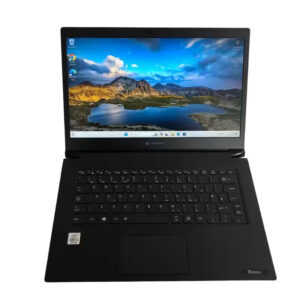
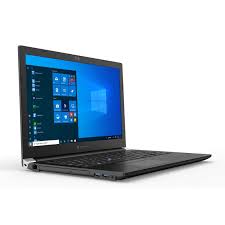
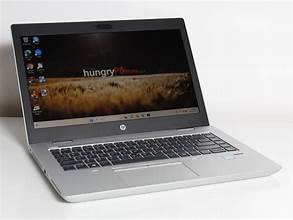
A Toshiba Dynabook powered by an 8th‑generation Intel Core i7 processor, paired with 8 GB of memory and a 256 GB solid‑state drive, represents a solid middle ground between performance and portability. This configuration is often encountered in business‑class or premium consumer laptops that aim to balance multitasking capability, responsiveness, and power efficiency.
TUSHIBA DYNABOOK I7 8TH
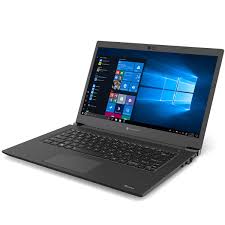
TUSHIBA DYNABOOK I7 8TH First, the processor: the 8th generation Core i7 (often from the “Kaby Lake R” or “Whiskey Lake” family, depending on the specific SKU) typically offers four cores and eight threads, with base clock speeds in the range of ~1.8 GHz and boost frequencies reaching 3.9–4.2 GHz (depending on model and thermal headroom). For example, the Dynabook Tecra A50‑F model uses an i7‑8565U (1.8 GHz base) in many configurations. Adorama+1 This level of processing power enables the laptop to handle moderate to heavy workloads such as compiling code, running virtual machines, moderate photo or video editing, multitasking with many browser tabs open, and even light gaming (with integrated graphics). Because it supports hyper‑threading, it can use all eight threads under multithreaded loads, improving throughput for productivity tasks.
Next,TUSHIBA DYNABOOK I7 8TH 8 GB of RAM is a reasonable amount for general productivity, web browsing, light photo editing, office suites, and everyday multitasking. It is sufficient for many use cases, though for heavier workloads—as in serious video editing, large datasets, or running many virtual machines—8 GB can start to feel limiting. In many Dynabook models, the memory is expandable (for example, up to 32 GB in some Tecra models). Kelaptop+1 As long as the user does not exceed the limits, 8 GB often offers a decent balance between cost and usability.
The 256 GB SSD (often in the M.2 NVMe form factor) provides fast booting, quick application load times, and smooth general responsiveness. With a solid-state drive instead of a traditional spinning hard drive, tasks like opening large documents, indexing, launching software, and system responsiveness benefit greatly. In the Tecra A50 series, the 256 GB SSD version is a standard configuration. Adorama+1 Still, 256 GB can fill up quickly if the user stores many large files (videos, virtual machines, games). Many users often add an external storage drive or use the cloud to supplement storage.
TUSHIBA DYNABOOK I7 8TH
In terms of build quality and design, TUSHIBA DYNABOOK I7 8TH (the brand that evolved from Toshiba’s laptop division) is known for making business‑oriented, durable machines. For example, the Tecra line includes features such as spill‑resistant keyboards, proprietary BIOS features for security and asset management, and robust chassis construction. Adorama The laptop is likely to include a full‑sized island keyboard (often backlit in higher trims), a precision touchpad (sometimes augmented by an AccuPoint or pointing stick), and a matte anti‑glare display (often Full HD, 1920×1080). In the Tecra A50, for instance, the display is 15.6″ Full HD. Adorama+1 Depending on the exact form factor chosen (13‑inch, 14‑inch, or 15.6‑inch), the tradeoff will be between screen real estate and portability.
Connectivity is typically generous: USB 3.x ports, possibly a USB‑C port with support for power delivery or display out, HDMI, and sometimes legacy ports like RJ‑45 (Ethernet). In many Dynabook business models, docking or expansion capability is also supported so that the laptop can plug into more ports when at a desk. Adorama Wireless options usually include WiFi (802.11ac or perhaps WiFi‑5 in some models) and Bluetooth 4.x or 5.x, sufficient for typical wireless use. On the security front, business laptops often include TPM (trusted platform module), secure boot, and possibly fingerprint or smart card readers, though the presence depends on the specific SKU.
In real use, this specification will feel snappy and capable for a wide range of tasks. Opening the OS, launching applications, switching between browser tabs, and daily productivity tasks all feel fluid thanks to the SSD and responsive processor. However, under very heavy loads—such as large 4K video editing, 3D rendering, or large model training—the 8 GB RAM may limit workflows (you might see swapping or delays), and integrated graphics will be a bottleneck compared to discrete GPUs.
Battery life on such a machine depends heavily on the capacity (e.g. 3‑cell vs 4‑cell), screen brightness, workload, and power optimization. In moderate use (web browsing, document editing, light media playback), one might expect somewhere between 4–8 hours, depending on configuration and how well the system is tuned. Under heavier use (compiling, video playback, multitasking), battery life would shorten accordingly.
One interesting highlight of the Dynabook (Toshiba lineage) is the support and service pedigree. For example, the Tecra A50 is backed by a “Quality Replacement Guarantee” in some markets: if a major hardware component fails, the unit may be replaced within a certain time window. Adorama In business settings, this adds confidence in hardware longevity. Also, the BIOS and firmware are often optimized for stability, manageability, and security—important traits in enterprise and professional use.
In conclusion, a Toshiba Dynabook with an 8th‑generation Core i7, 8 GB RAM, and a 256 GB SSD offers a very balanced and capable machine for many users. It combines good compute power with responsiveness, solid build quality, and likely good support. For professionals, students, or power users who want a reliable all‑rounder, this spec is strong—so long as their workloads don’t demand massive RAM or GPU horsepower. If you like, I can also provide a model‑specific review or benchmark results for a Dynabook with exactly those specs; would you like me to do that.


There are no reviews yet.