
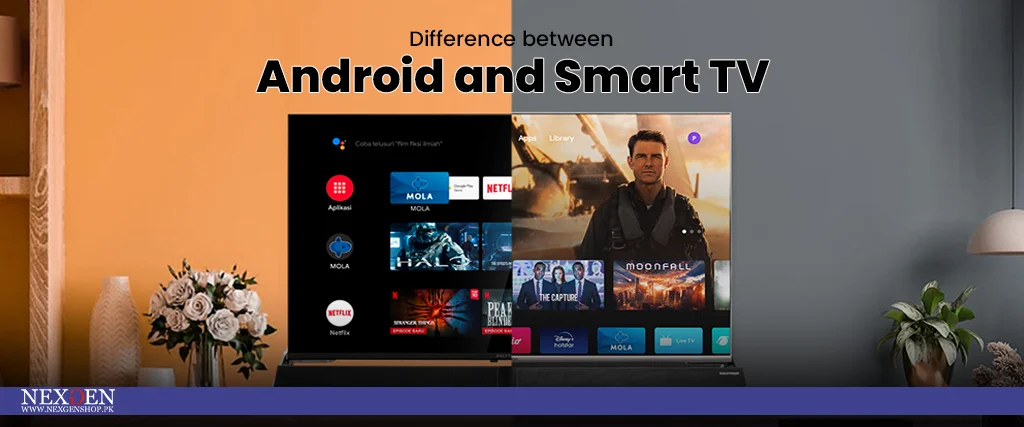
Difference between Android and smart TV – Features and Functionalities
Advancement in technology has stirred the confusion among the consumers. Multiple televisions in the market seem similar due to some features but they are not. Recently, smart TVs and Android TVs have arisen confusion. If you are a beginner who is seeking a new TV, then you must be fully aware of the difference between Android and smart TV. This blog post is going to help you make the right decision regarding buying guide the best TV for your home.
Smart TV
A smart TV is a normal TV with access to the internet. Via the internet, one can access different streaming apps and other online platforms. Moreover, smart TV offers a lot of features like built-in voice assistants, such as Amazon Alexa or Google Assistant that make it more user-friendly.
What are the main features of a smart TV?
In the present time, smart TV has become the part of majority of homes due to its unique features. The Smartness of TV is not meant for the slimmer design but for the internet connectivity that makes it easier to stream on various online platforms. In addition, smart TV has multiple built-in apps for popular services including Netflix, Hulu, and YouTube.
When it comes to display features, it offers 4K UHD resolution. Moreover, it also has features like HDR (high dynamic range) and Dolby Atmos that can improve the picture and sound quality respectively. With these features, one can enjoy a crisp image with resonating sounds to the fullest. Some features make the difference between Android and smart TV.
1. Voice control in Smart TVs
Relax and control your Smart TV with your voice, It sounds impossible but now it is possible with smart TVs. Voice controls in Smart TVs are the unique features that allow you to control your TV while moving from the couch. TV features built-in voice assistants, such as Amazon Alexa or Google Assistant that allow you to search your content, control the volume, adjust the brightness, and maintain the overall setting.
Above all, the voice control feature also helps in Smart home integration. By connecting your all-Smart home appliances with your Smart LED TVs, you can control all appliances with a single voice command. Now, you can turn off all all-home appliances and lock the door with a voice control feature of Smart TV. Turn on the home surveillance system and make sure all appliances are off!
2. Connectivity options in Smart TVs
Whether you want to watch your media on the bigger screen or want to play your favorite game with your friends, multiple Connectivity options in Smart TVs are enough to facilitate you. Smart TVs are equipped with Wi-Fi, Ethernet, Bluetooth, and HDMI. Via WiFi and Ethernet, you can connect your TV to the internet which opens the door for streaming to multiple apps, browsing, and enjoying the different online platforms.
The powerful version of Bluetooth ensures the stable and fast transfer of data from your smartphone or tablet. If you want to play any game on the big screen, the HDMI port can help you the best. Vis HDMI port, you can easily connect gaming consoles, Blu-ray players, or compatible computer monitors to your Smart TV. With this connectivity feature, you can watch the 480p, 720p, 1080p, and 4K Ultra HD resolution pictures on your TV screen.
3. Software updates for Smart TVs
Software updates are highly essential for the efficient working of your digital smart device. Updates allow your device to run smoothly and securely. Like any other device, software updates for smart TVs add new features, fix bugs, and improve performance. When it comes to the difference between three smart TVs and Android TVs, software updates make the real difference. Smart TVs get fewer software updates than Android TVs.


Add a review
Your email address will not be published. Required fields are marked *